Shark Vacuum Brush Not Spinning, Red Light On? What It Means and How to Fix It
If your Shark vacuum’s brush roll light has turned red and the roller has stopped, there are usually two possible causes. Something is jamming the brush roll, or airflow is restricted enough to trip the motor’s thermal safety cutoff. A clogged filter restricts airflow as much as a blocked nozzle does. Both causes are covered below, in the order to check them.
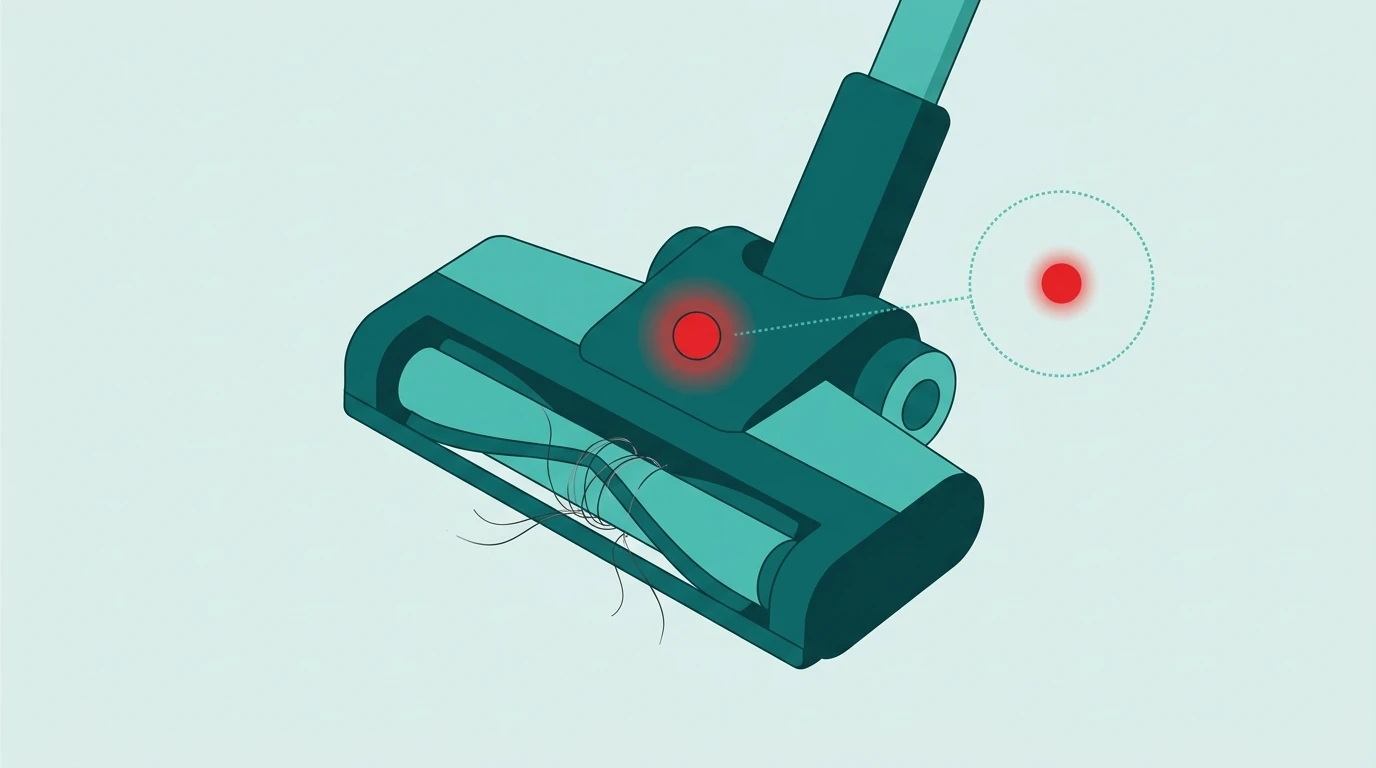
What the Red Light Actually Means
The brush roll indicator light on most Shark models (DuoClean, Navigator, Lift-Away, Rotator, and Power Detect lines) sits on the floor nozzle and reports the state of the brush roll motor, not the main vacuum motor. Green (white on PowerDetect models) means the brush roll is spinning normally. Red means the brush roll motor has stopped or has been shut off, usually because it’s jammed, or because a safety cutoff tripped to protect the motor from overheating. A red light alone doesn’t mean the vacuum is broken. Usually it’s debris or airflow you can clear yourself in a few minutes.
Solid Red vs Flashing Red: Read the Light First
Shark’s support pages treat the two differently, and each has its own fix. On the Navigator Lift-Away (Shark’s CU500 FAQ) and the PowerDetect upright (Shark’s AZ4000 FAQ):
- Solid red: there is a jam in the brush roll area. Turn the vacuum off, unplug it and clear the blockage (Cause 1 and 2 below).
- Flashing red: the motorized floor nozzle is overheating. Turn it off, unplug it, clear any blockage and let it cool. Shark’s PowerDetect page says to wait at least 60 minutes before restarting (Cause 3 below).
- No light at all: on the Navigator, the brush roll is simply off because the vacuum is in Hard Floor mode.
- Flashing white (PowerDetect): the room is too hot or too cold. Shark lists a working range of 32°F to 104°F.
Light colors and cooldown times vary by model, so check the FAQ for your exact model number on Shark’s support site if yours behaves differently.
Cause 1: Tangled Hair or Debris (Most Common)
Hair, string, and carpet fibers wrap around the spinning brush roll and eventually stall it enough to trigger the red light.
- Turn off and unplug the vacuum before touching the brush roll.
- Flip the floor nozzle over, or open the brush roll “garage” door on DuoClean models.
- Remove the brush roll if your model allows it, and cut away wrapped hair or fibers with scissors. Work carefully so you don’t cut the bristles or the belt underneath.
- Spin the brush roll by hand to confirm it now turns freely before reassembling.
Cause 2: Blocked Airway, Hose, or Electrical Pins
If the brush roll itself is clear, the blockage may be upstream of it.
- Detach the wand and hose from the floor nozzle and the main body.
- Use a flashlight to check the full length of each tube for lodged debris.
- Check the small metal electrical pins where the wand meets the nozzle. Dust on these pins can cut power to the brush roll motor while the vacuum still runs, so wipe them with a dry cloth.
- Reconnect every piece until it clicks. A loose connection looks the same as a blockage.
Cause 3: Overheated Motor, Often From a Clogged Filter
If the brush roll and airway are clear and the light is still red, the motor’s thermal cutoff may have tripped from overheating. Letting it cool resets it, but restricted airflow is what made it overheat, and a full dust cup or a clogged filter restricts airflow the same way a blocked hose does.
- Empty the dust cup completely, even if it doesn’t look full. Fine dust can pack down and restrict airflow without the cup appearing overloaded.
- Check your filter (see our guide to cleaning a Shark vacuum filter). A filter that’s overdue for cleaning or replacement can cause the same red-light shutoff on its own, as well as weak suction.
- Unplug the vacuum and let it cool for at least 60 minutes before trying again, which is the cooldown Shark gives for an overheating PowerDetect nozzle.
- Confirm you’re using the correct filter for your exact model. Our Shark vacuum filter compatibility guide matches your model number to the verified-correct replacement filter and housing type.
Cause 4: Worn Belt or Failed Micro Switch
If clearing debris and cooling don’t turn the light green, the problem is more likely mechanical: a stretched or broken drive belt, or a failed micro switch that senses when the nozzle is in the vacuuming position. Both wear out on Shark models with a lot of use, and both need a replacement part. Forcing more restarts at this point can damage the motor.
Resetting the Light After a Fix
Once you’ve cleared the cause, plug the vacuum back in, turn it on, and tilt the handle back into the vacuuming position so the nozzle engages the floor. The brush roll should re-engage and the light should switch from red to green within a second or two. If it doesn’t, repeat the checks above before assuming a part has failed.
When to Contact Shark Support Instead of DIY
If you’ve cleared the debris, cleaned the filter and airway, let the motor cool, and the light still won’t turn green, contact Shark support about a belt or switch replacement. If the vacuum is under warranty, don’t open the motor housing yourself, because that can void it.
Not sure your brush roll is the problem at all? See the broader Shark vacuum roller not spinning guide if your model has no indicator light or the roller is stuck with no light cue either way.
Shark shutting off completely? See Shark vacuum overheating and shutting off. Got a Dyson instead? Its red lights mean something different: see what a flashing red light means on a Dyson.
Frequently Asked Questions
What does a red light mean on my Shark vacuum’s brush roll?
The brush roll motor has stopped. The light reports on the brush roll motor, not the main vacuum motor: green means the roller is turning, red means it has stalled or been shut off. Usually either something is jamming the roller (hair, string or carpet fibres wrapped around it), or a thermal cutoff tripped because restricted airflow was overheating the motor. The light sits on the floor nozzle on the DuoClean, Navigator, Lift-Away, Rotator and Power Detect lines. In most cases you can clear the problem yourself in a few minutes without buying parts.
Can a dirty filter cause my Shark vacuum’s red light to come on?
Yes. A clogged or overdue filter restricts airflow, and that can trip the same thermal cutoff a blocked nozzle or hose does. The red light looks the same either way, so people often take apart a brush roll that was never jammed. If the roller and airway are clear, check the filters next. Pull the foam and felt pre-motor filters, wash them in water only with no soap, and air-dry them for a full 24 hours before refitting. A damp filter can damage the motor.
Why does the light turn green for a second, then go red again?
The brush roll is starting, then hitting the same problem again. That points to a partial obstruction: enough room for the roller to start turning, not enough to keep going under load. A belt that is slipping rather than fully broken produces the same behavior, as does a thermal cutoff that resets, allows a brief restart, and trips again because the underlying airflow restriction has not been cleared. Re-check the roller for hair at the bearing ends, then the airway and hose for a partial clog, then the filters. A complete break or total jam would keep the light red with no green flash.
Is a Shark vacuum brush roll that won’t spin covered under warranty?
It depends on the cause and the age of the vacuum. Debris jams and clogged filters count as maintenance, not faults, so warranty doesn’t cover them, and they are the two most common causes. A failed drive belt or faulty micro switch on a vacuum still under warranty is a component failure, which SharkNinja support normally handles. Clear the roller, airway and filters first. That either fixes it for free or shows the fault is mechanical before you call. Have your model number and proof of purchase ready, and check with support before buying a belt that might be covered.