GE Fridge Says ERR After a Filter Change? How to Fix It
ERR after a filter change usually means the fridge’s RFID reader can’t read the filter you just installed as genuine. The filter is rarely in the wrong place. Below is how to check it, and why the usual advice to “reset” the error doesn’t apply.
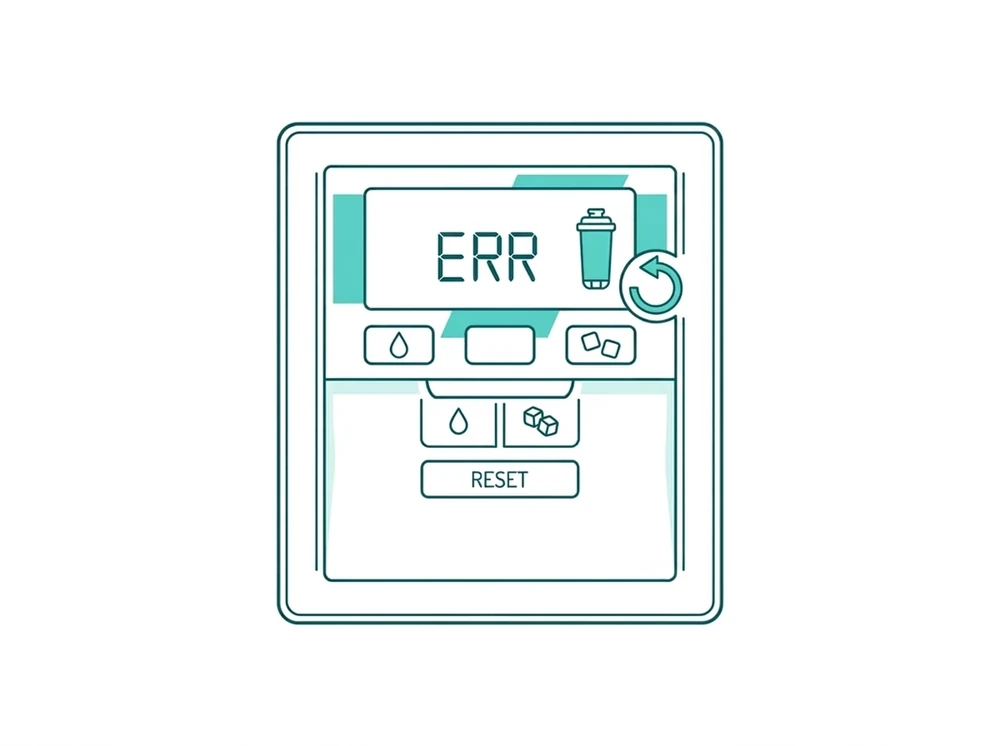
Which GE filter do you have? GE’s support pages document the ERR display for the XWFE filter. It appears when there is no filter, a bad or damaged filter, the wrong filter, or a non-GE filter, and the water valve stays shut until a new XWFE or the RFID bypass plug goes in. RPWFE models run the same chip check but show “Leak Detected” or “Replace Water Filter” instead. Both filters use an RFID chip, so the steps below work for either.
Lost the bypass plug? GE says you can order a replacement at no charge by calling 1-800-GECARES (800-561-3344 in Canada).
Why GE’s RPWFE System Works Differently
Most fridge filter reminders are timers: you press a button and the count starts over. Each genuine RPWFE cartridge has an RFID chip under its label, and a reader in the fridge housing checks that chip. So ERR has no button fix. The fridge needs to find the chip, facing the right way.
Step 1: Check the Filter’s RFID Chip
Look on the back of the filter for the ID chip. A genuine chip has a raised square outline printed with “This side must face inward.” If you can’t tell by looking, run a finger over the label, because the outline is embossed. A filter without that raised outline has no genuine chip, and that alone triggers the error.
Step 2: Check Which Way It Faces
Make sure the “FRONT” label faces out, not “BACK.” Installing it backward is a common mistake and does no damage, but the reader can’t reach the chip from the wrong side, so the fridge treats it like a missing chip.
Step 3: Skip the Reset Hunt
There is no manual reset button or button sequence for the RPWFE filter reminder. It clears by itself once a genuine RFID filter or the bypass plug is installed correctly. If the chip and orientation check out and ERR is still showing, give it a moment. Searching for a “GE RPWFE reset button” leads to steps for other filters.
Common Mistakes That Trigger ERR
- Installing an off-brand filter with no real RFID chip. This is the most common cause.
- Installing the filter backward. The cartridge fits either way, but only one way lets the chip make contact.
- Pressing dispenser buttons over and over looking for a reset. They do nothing for this error.
- Assuming the fridge is broken. ERR is almost always the chip or the orientation, and clears in under a minute once that’s fixed.
Step 4: If ERR Stays With a Genuine Filter
Unplug the refrigerator for 1 minute, then plug it back in. If ERR still shows with a genuine chip facing the right way, the RFID reader in the fridge housing is probably faulty and needs service. Reinstalling the filter again won’t fix a reader fault.
To avoid this, check compatibility before you buy with the GE RPWFE Compatibility Finder.
- GE Refrigerator Water Filter Bypass Plug: the plug mentioned above, if you don’t have a genuine RFID filter on hand
- Fridge Water Dispenser Slow After New Filter?: a different symptom with the same cause, a filter that is badly seated or not genuine
Frequently Asked Questions
Can I manually reset the RPWFE filter reminder?
No. The RPWFE reminder has no reset button or key sequence, so a guide that describes one is about a different GE filter. Most fridge reminders are day counters you clear yourself. RPWFE filters carry an RFID chip that the fridge reads to confirm the cartridge is genuine, and the reminder clears once the reader finds a genuine chip, or the bypass plug, fitted the right way round. If ERR is showing, check that the chip is on the back of the cartridge and that the FRONT label faces out.
What does “Leak Detected” mean on my GE dispenser?
It appears when the fridge decides the installed filter is non-genuine or incompatible, and it locks the dispenser until that’s fixed. Despite the wording, it usually has nothing to do with a leak. It comes from the same RFID check that produces ERR on other models, so the steps are the same. Feel the back of the cartridge for the raised, embossed square outline (a printed one doesn’t count) and make sure the FRONT label faces out. A filter that fits perfectly but has no real chip looks to the fridge like no filter at all. A genuine or verified-compatible RPWFE cartridge, or the bypass plug, brings the dispenser back without any reset.
My chip and orientation are both correct but ERR won’t clear. What now?
Unplug the refrigerator for a full minute, then plug it back in. That clears the control board’s cached read and gives the reader a fresh look at the chip, which fixes a fair number of these cases. Before you do, check the two things that most often look right but aren’t. Feel for the embossed square outline, since a printed copy can pass a glance, and check that the FRONT label really faces out, because the cartridge seats either way. If ERR survives the power cycle with a genuine filter facing the right way, the reader is the likely fault. Call GE for service rather than buying more filters.
How long does ERR take to clear after a correct reinstall?
Almost no time. There is no waiting period, calibration or flush before the reminder clears, because the fridge isn’t counting anything down. It reads the chip, and the error goes away as soon as the reader finds a genuine one facing the right way. That makes the timing a useful test: if ERR hasn’t cleared within moments, waiting longer won’t help. Recheck the chip by feel and the FRONT label, then power-cycle the fridge for a full minute. If the error is still there after that, treat it as a reader fault.
Does a bypass plug avoid this error?
Yes. GE lists the bypass plug, alongside a genuine RFID filter, as a way to clear the reminder, because the fridge recognizes the plug the same way it recognizes a genuine chip. Fitting one stops ERR and brings the dispenser back without a reset. The catch is that a bypass plug does no filtering, so water and ice come out unfiltered. That’s fine as a stopgap while a genuine cartridge is on the way, or long term if your home already filters water before it reaches the fridge (a whole-house or under-sink system). It doesn’t fix the cause, which is usually a non-genuine cartridge. Bypass plugs aren’t universal, so match the plug to your GE model before you order.
Source: GE Appliances official support, RPWFE operation and troubleshooting.